

 Revit/BIM Content


 Buy Aluminium online

Stocked Offer Catalogue
Download














































Hub App and Green App Install
For Android and iPhone users
Follow these simple steps to add Capral’s apps
to your home screen on your device.
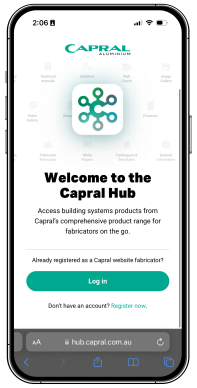

Hub App
Capral's Hub App allows fabricators to explore our systems easily on their mobiles. With seamless navigation and instant access to resources and downloads, finding the information you need is effortless.
Go to Capral’s Hub App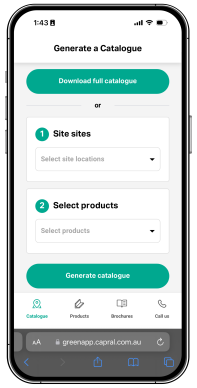

Green App
Capral’s Green App provides pocket access to Industrial catalogues and resources with the ability to generate, download and share localised stocked offer catalogues on the fly.
Go to Capral’s Green App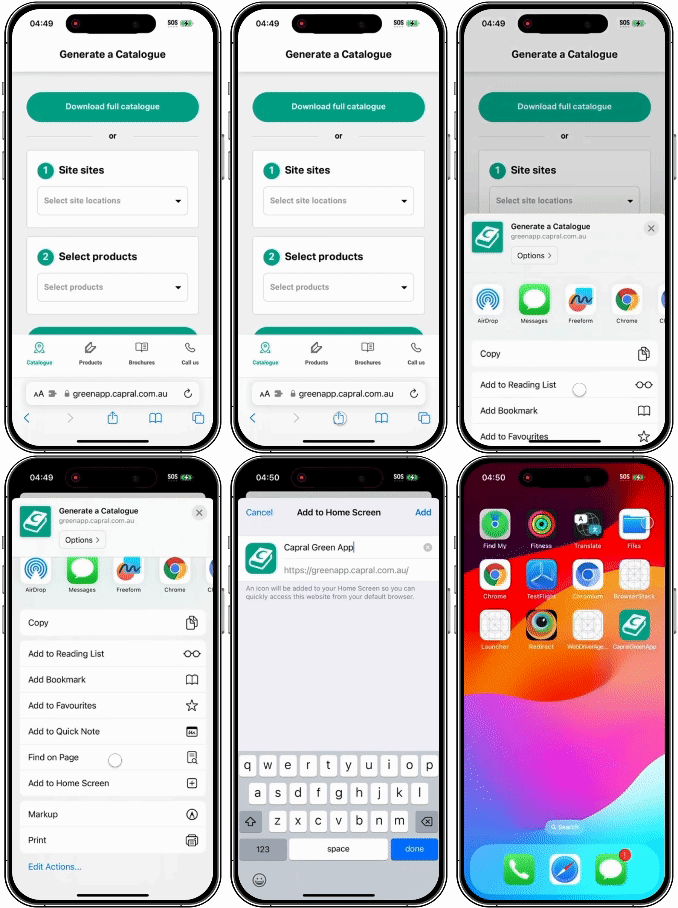
Installing the app on your iPhone
1. Go to the app (hub.capral.com.au or greenapp.capral.com.au).
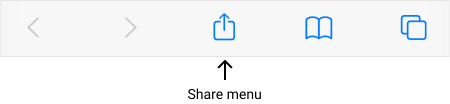
2. Within Safari, locate and tap on the share menu icon, which looks like a box with an upward facing arrow.
3. In the pop-up menu, locate and tap on Add to Home Screen. You may need to swipe up or scroll down.
4. After tapping Add you will be able to find the app on your home screen.
Installing the app on your Android device
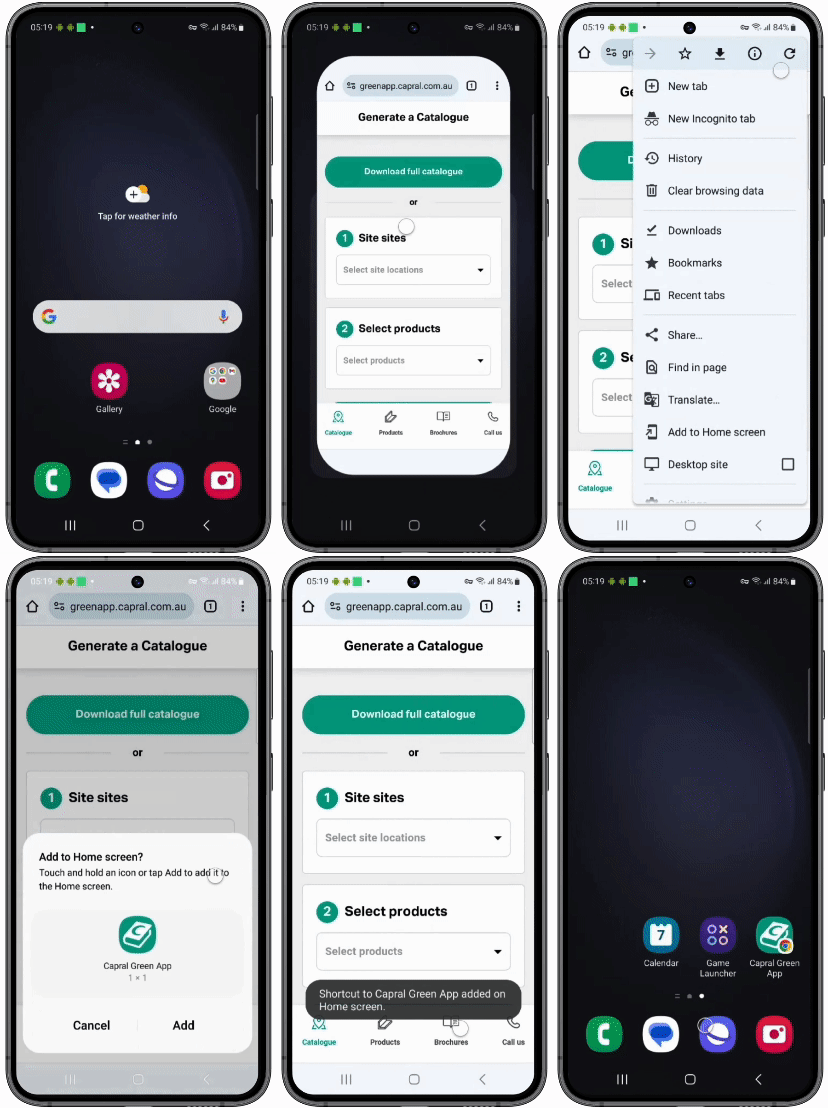
1. Go to the app (hub.capral.com.au or greenapp.capral.com.au).
2. Within Chrome, locate and tap on the “more options” menu icon, which looks like three vertical dots in the top right corner of your display.
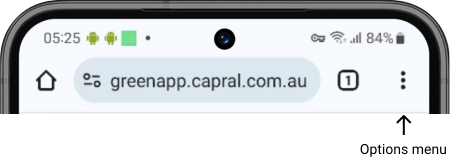
3. In the drop-down menu, locate and tap on Install app.
4. On the corresponding pop-up, click Add and you will then be able to find the app on your home screen.